How Downtime is Tracked in Pitches
Last updated: October 15, 2026
How Downtime is Tracked
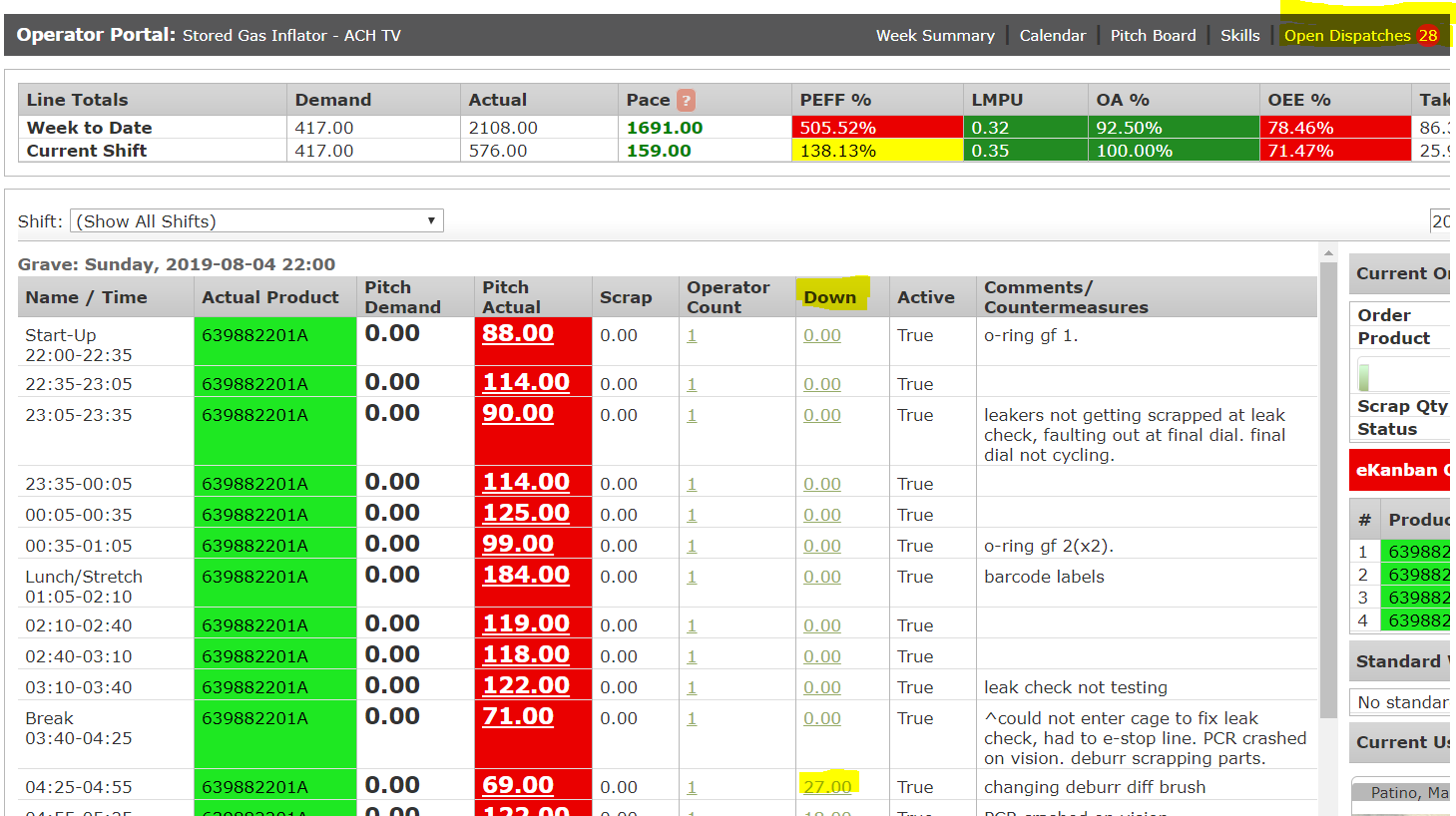
In the Operator Portal under Pitch Details, the Down column displays real-time downtime metrics. This column aggregates cumulative downtime for a specific pitch by tracking any open dispatch categorized as Down (RED).
Because various dispatch types can carry a "Down" status, this setup allows second-level causes and underlying downtime reasons to be recorded accurately and independently.
Code Yellow Dispatches ("Limping Along")
Dispatches designated as Code Yellow indicate that equipment is "limping along" rather than completely stopped.
Display in Operator Portal: Because Code Yellow dispatches do not represent a complete outage, they—along with other non-RED dispatches—do not appear in the Down column.
History & Reporting: Code Yellow dispatches are still fully recorded and can be reviewed in the Machine/Dispatch History Reports.
Active View: You can view all currently open dispatches for the selected line by clicking Open Dispatches in the top-right corner of the Operator Portal.
Non-Production Machines
If a machine is designated as non-production, downtime minutes will not be displayed for it in the system.